Icon of program: Mr. Captor

Mr. Captor for Windows

  • Trial version
  • 2.8
    10
  • 12.4K
  • V3.33
Download for Windows

View an ad to download for free

Captures anything you see on the screen

On the surface of it you might wonder why you would need to download a program that records images of your screen, let alone pay for one. The irony is it’s not really until you’ve used one, especially a capture tool as slick as Mr Captor, that you realize how useful they can be. Whether you’re a developer or designer that wants to collect examples of cool designs from the web, or just someone who wants to make a snapshot of your desktop for reference purposes, this nifty app will sort you out.

Top Recommended Alternative

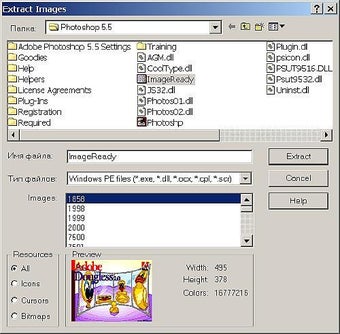
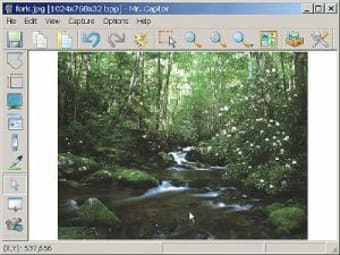
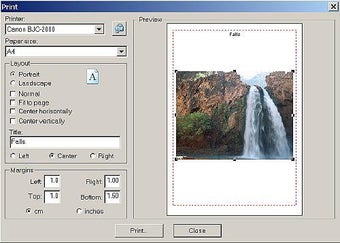
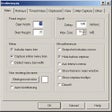
Mr Captor’s interface can be customized to display small or large buttons, both of which create an intuitive working environment to perform your captures. This simple GUI hides a surprisingly large number of features that could lead you to think screen capturing was a branch of science. You can perform operations such as capturing windows, scrolling to capture whole web pages, and full screen capture. It’s probably best to steer clear of the ‘Hide Before Capture’ option though, as it creates a lot of confusion trying to switch between Mr Captor and the program that you’re trying to capture.

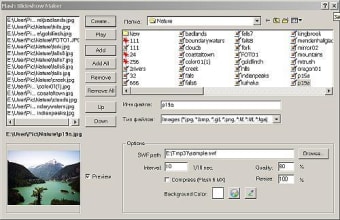
Unfortunately this isn’t a piece of freeware, though the developer includes just about enough to justify the cost. For instance, there’s a video capture tool which records movement on your screen, allowing you to record your computer actions or even garner video from streaming sources or games. While it’s easy to use, the video quality isn’t perfect and it’s unable to record sound at present. However, with additions such as Flash slideshow creation, colour sampling and an image gallery, Mr Captor is worthy of its place among the big players of the screen capture world.

Frame rate auto-adjustment feature has been added (video capture).

  • Pros

    • Smart interface
    • Lots of screen capturing options
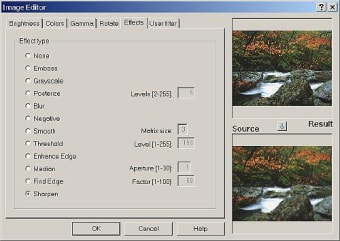
    • Basic image editor included
  • Cons

    • Quality of video captures isn’t great
    • Difficult to operate without ‘Hide before Capture’ mode turned on
 0/5

App specs

  • Developer

  • License

    Trial version

  • Version

    3.33

  • Latest update

  • Platform

    Windows

  • OS

    Windows 2000

  • Language

    English

    Available languages

    • German
    • English
    • Spanish
    • French
    • Italian
    • Russian
  • Downloads

    12.4K

  • Size

    2.32 MB

Program available in other languages


Icon of program: Mr. Captor

Mr. Captor for PC

  • Trial version
  • 2.8
    10
  • 12.4K
  • V3.33
Download for PC

View an ad to download for free


User reviews about Mr. Captor

Have you tried Mr. Captor? Be the first to leave your opinion!

Add review

You may also like

Explore Apps

Latest articles

Laws concerning the use of this software vary from country to country. We do not encourage or condone the use of this program if it is in violation of these laws.
Softonic

Is Mr. Captor safe?

Score result: Clean

This file passed a comprehensive security scan using VirusTotal technology. It is safe to download.

  • Virus free
  • Spyware free
  • Malware free
  • Verified by Security Partners

    VirusTotal logo

Scan Info

Last scan
Wednesday, December 2, 2020
Scan provider
VirusTotal

Softonic security commitment

Mr. Captor has been thoroughly scanned by our advanced security systems and verified by industry-leading partners. This file comes from the official developer and has passed all our security checks, showing no signs of viruses, malware, or spyware. For more information, visit our Security and Trust Center

Signed in to Softonic as